Public Profiles and New Documentation Are Here!
Your BlueRain account now has a profile you can make your own, with verified account badges, saved Mimic Mayhem stats, and a Community Member Level. We have also added public documentation covering our community, accounts, support, and team applications.

Tayras
President
We have added public profiles and a new documentation section to the BlueRain website.
Your account now has a place to show who you are, the progress you have made in our games, and your involvement in the community. Alongside that, our public documentation brings together information about using BlueRain services, getting support, and joining the team.
There is quite a bit included in this update, so here is what you can use and where to find it.
A profile that feels like yours
Your BlueRain profile brings your identity, achievements, and progress together on one page. You can set a display name, write a short bio, and choose an accent color to give the page a look you like. Your avatar comes from your connected account.
Linked Roblox and Discord accounts can display their matching verification badges. Your Roblox account also appears with a link to its profile, while Discord appears through its verification badge.
Profiles can show earned community badges too, including recognition for playtest participation, accepted bug reports, and accepted clips. These give people a way to see some of the contributions you have made to BlueRain.
Once you make your profile public, you have a personal page you can share with friends and other community members.
Your Mimic Mayhem progress on the website
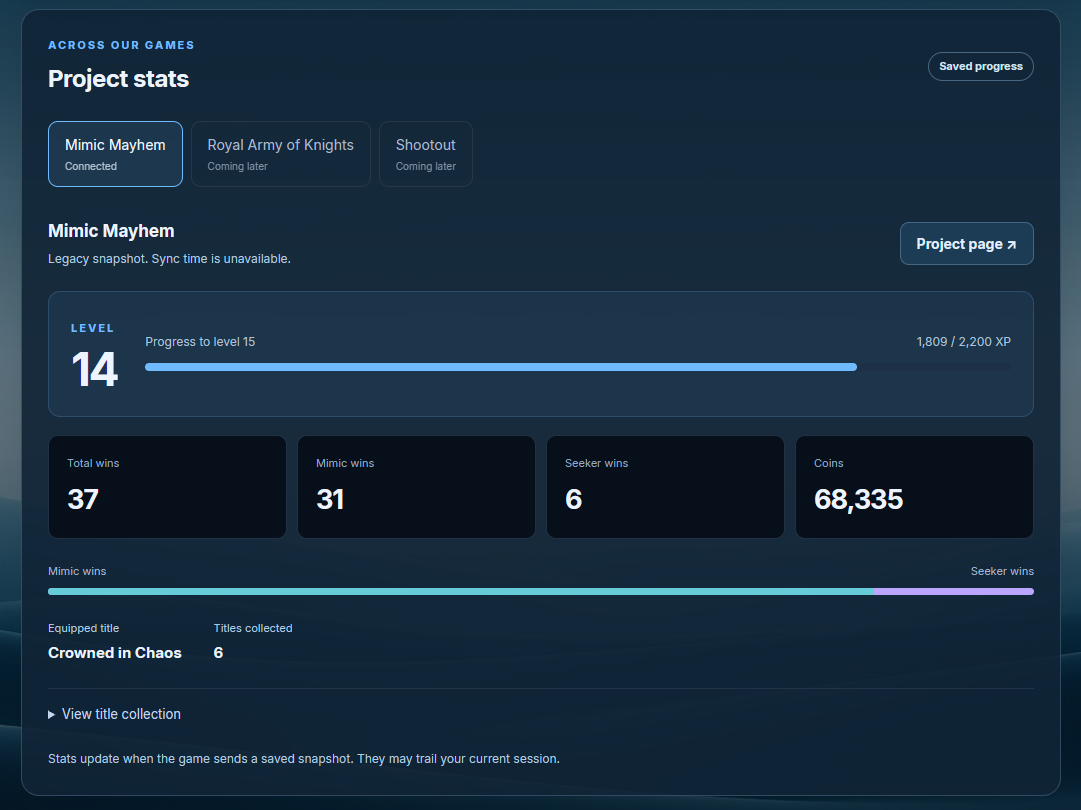
Mimic Mayhem players can now view their saved game progress through their BlueRain profile.
This includes your level and XP progress, Mayhem Coins, total wins, separate Mimic and Seeker wins, time played, equipped title, and title collection. You can check your progress and share it with others from the same page.
Connect the Roblox account you use to play so the website can find the progress associated with it. Stats reflect the latest saved game update, and the page shows when that update was received. If your account does not have a saved snapshot yet, it will need a future game session to sync one.
Mimic Mayhem is the first connected game for this feature. Other projects will show their stats when their own connections are available.
Community Member Level
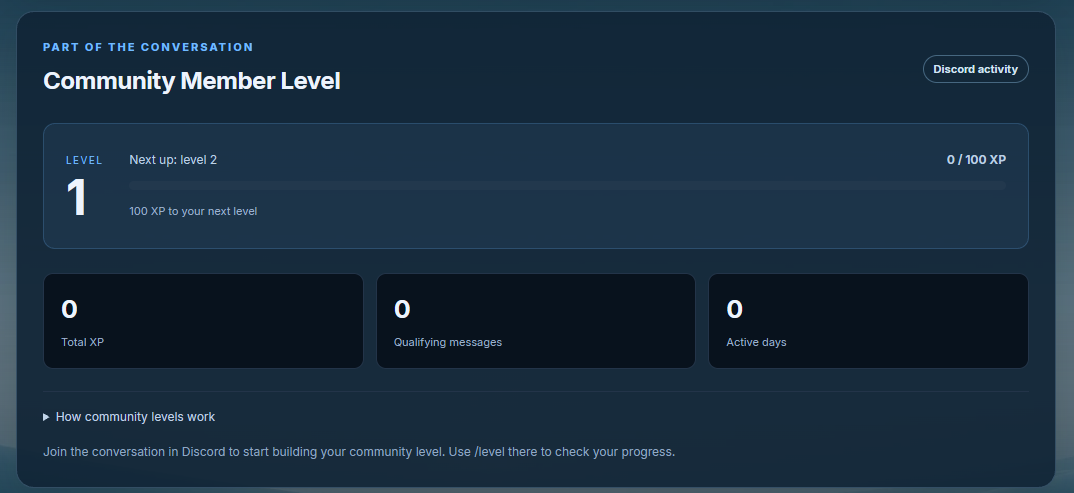
Your profile also includes a Community Member Level based on activity in the BlueRain Discord.
Eligible chat messages contribute XP toward your next level. You can see your current level, XP bar, remaining XP, qualifying message count, and active days on your profile. The /level command lets you check that progress directly in Discord.
This tracks community activity separately from your Mimic Mayhem level. Cooldowns and spam checks help keep the focus on actual conversations.
Connect Discord to the same BlueRain account to bring your community progress onto your profile.
You choose what people can see
Profiles start private. Making yours public is your choice, and you can decide separately whether to share game stats and community progress.
That means you can share a basic profile with your name, bio, avatar, and badges while keeping those progress sections private. You can change these settings from your profile editor.
Your email address and private account, support, and staff records are not part of your public profile.
New public documentation
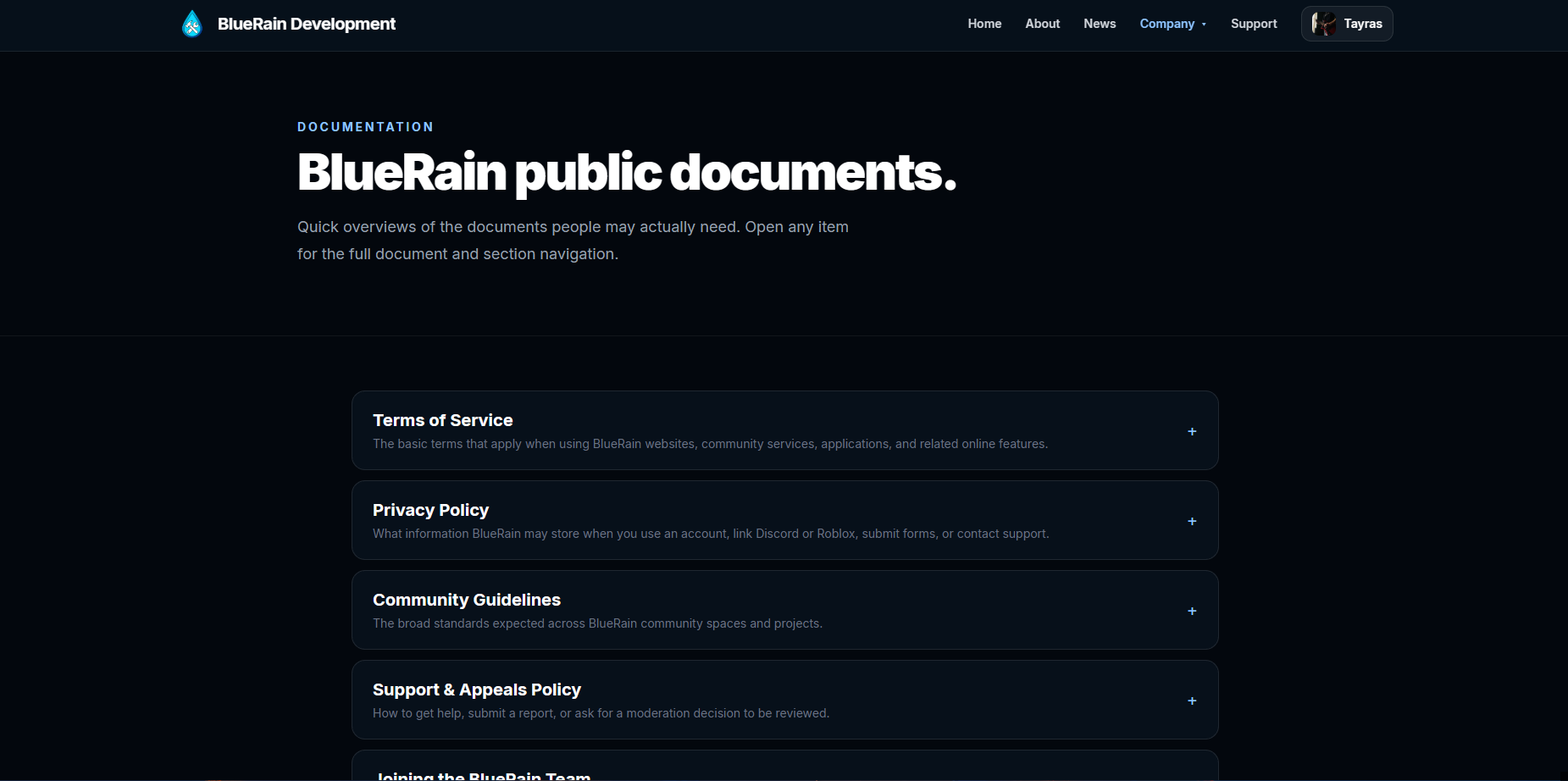
The new Documentation section gives community members a central place to find our public policies and guidance.
It includes the Terms of Service and Privacy Policy, covering the use of BlueRain services and how account information is handled. The Community Guidelines explain the standards expected across our community spaces and projects.
The Support & Appeals Policy explains where to get help, submit a report, or request a review of a moderation action. Joining the BlueRain Team covers applications, account requirements, and what to expect during the review process.
Each document has a quick overview and a full page with clearly separated sections. You can find them under Company → Documentation.
Set up your profile
Sign in to your BlueRain account, connect your Roblox and Discord accounts in account settings, and open your profile.
Add your display name and bio, choose your accent color, and set the sharing options you want. Turn on Public profile when you are ready to share your page.
You can also use /register in Discord to get to the website and set up your account, /userstats to check linked game progress, and /level to check your community XP.
Thank you to everyone who has been playing, testing, reporting issues, and sharing ideas. We are looking forward to seeing your profiles and giving your progress a place on BlueRain.
Media
From this update
More from BlueRain